Thank you for visiting.
Creating ads on Afri54 can be completed in less than two minutes. Here are a few important things you need to know. The cost is $0.50 per day, and the minimum duration is 10 consecutive days. Afri54 does not charge based on clicks or views. Charges are applied on a daily basis.
Your ad will be displayed across multiple areas of the platform. It will appear on users’ virtual business cards and Afri-store (for free users). It will also be featured on the homepage under Featured Businesses, as well as within Market Category, Market Day, and Business Category sections. Additional placements may be introduced in the near future.
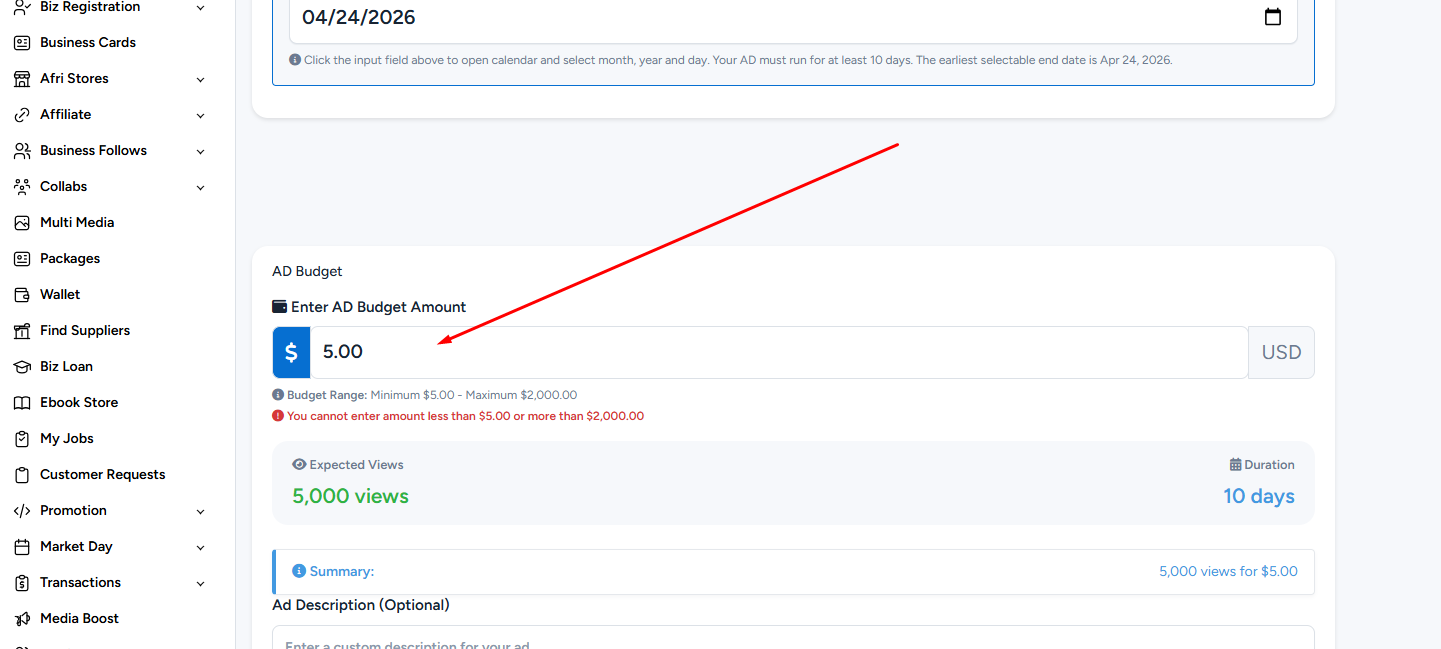
You can fund your ad with a minimum of $5 and a maximum of $2,000.
Now, here is how to create your ad:
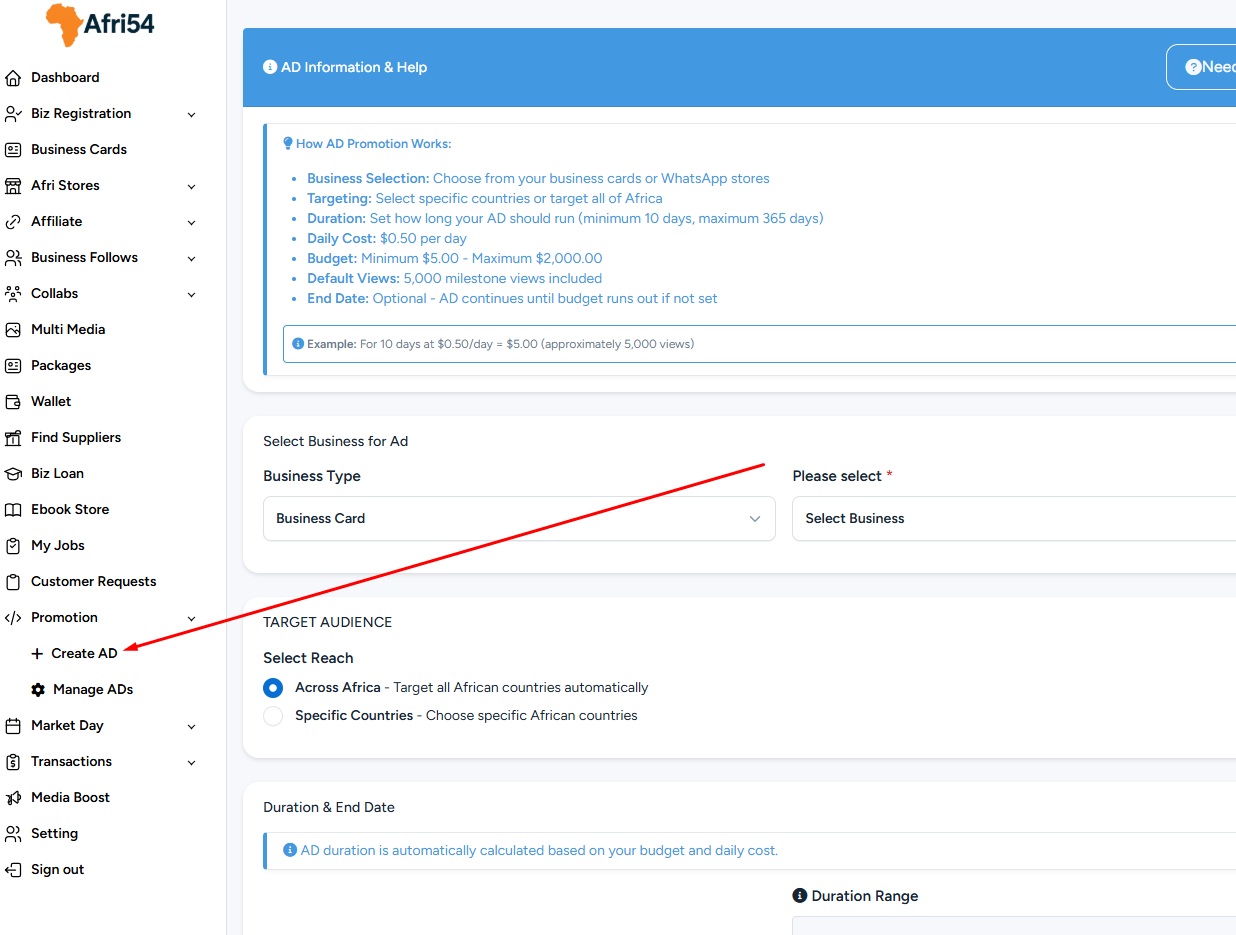
1. Click on the Promotion button. You will see two sub-options. Select Create Ad.
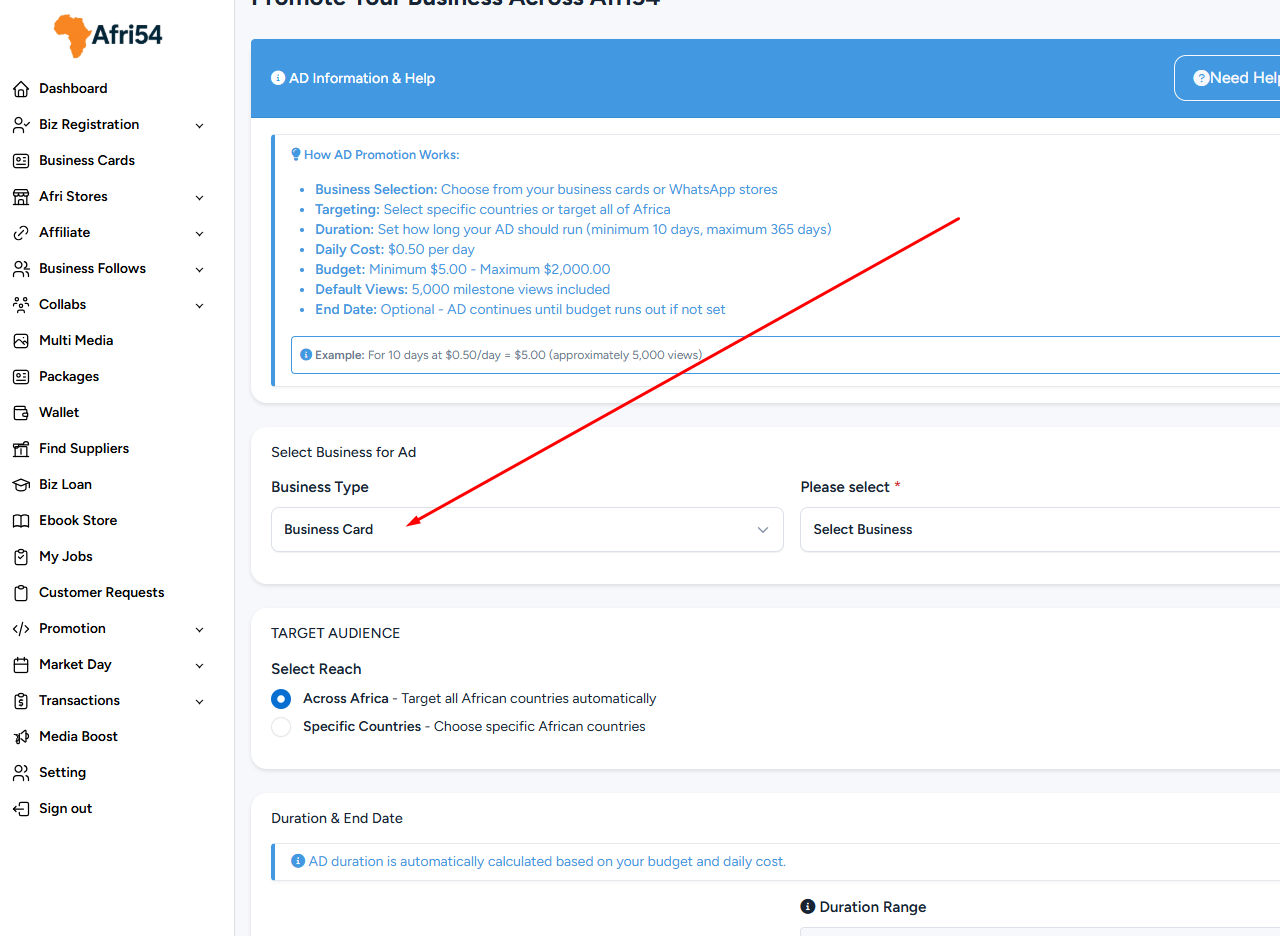
2. Choose the Business Type. This can either be Business Card or AfriStore (also known as WhatsApp Store).
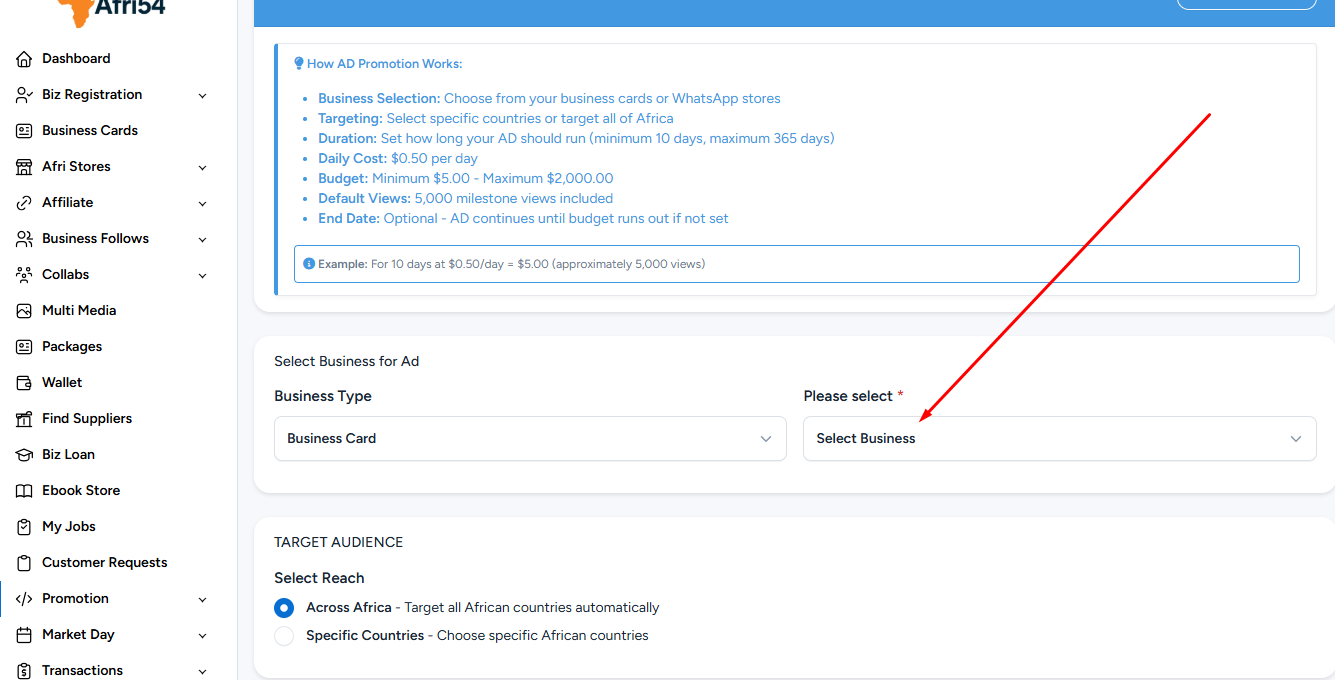
3. Select the relevant business.
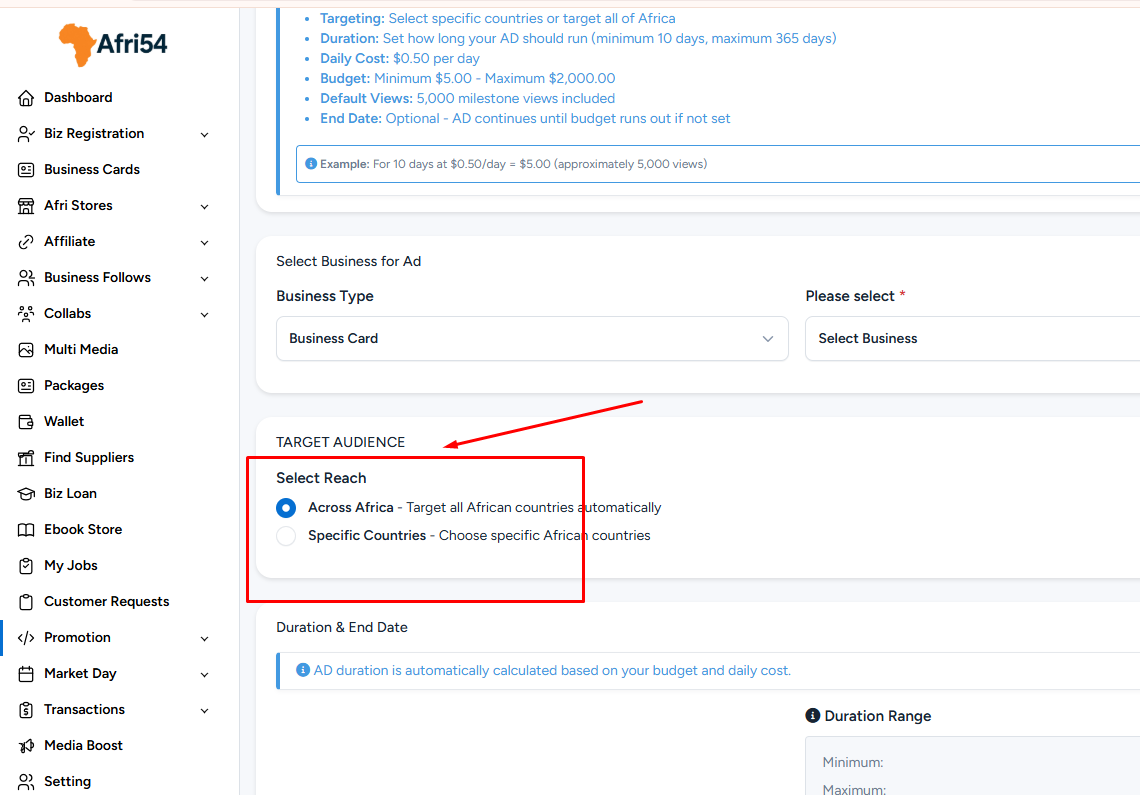
4. Choose your Target Audience. You can select “Across Africa” or choose specific countries. If selecting countries, you can choose up to 20.
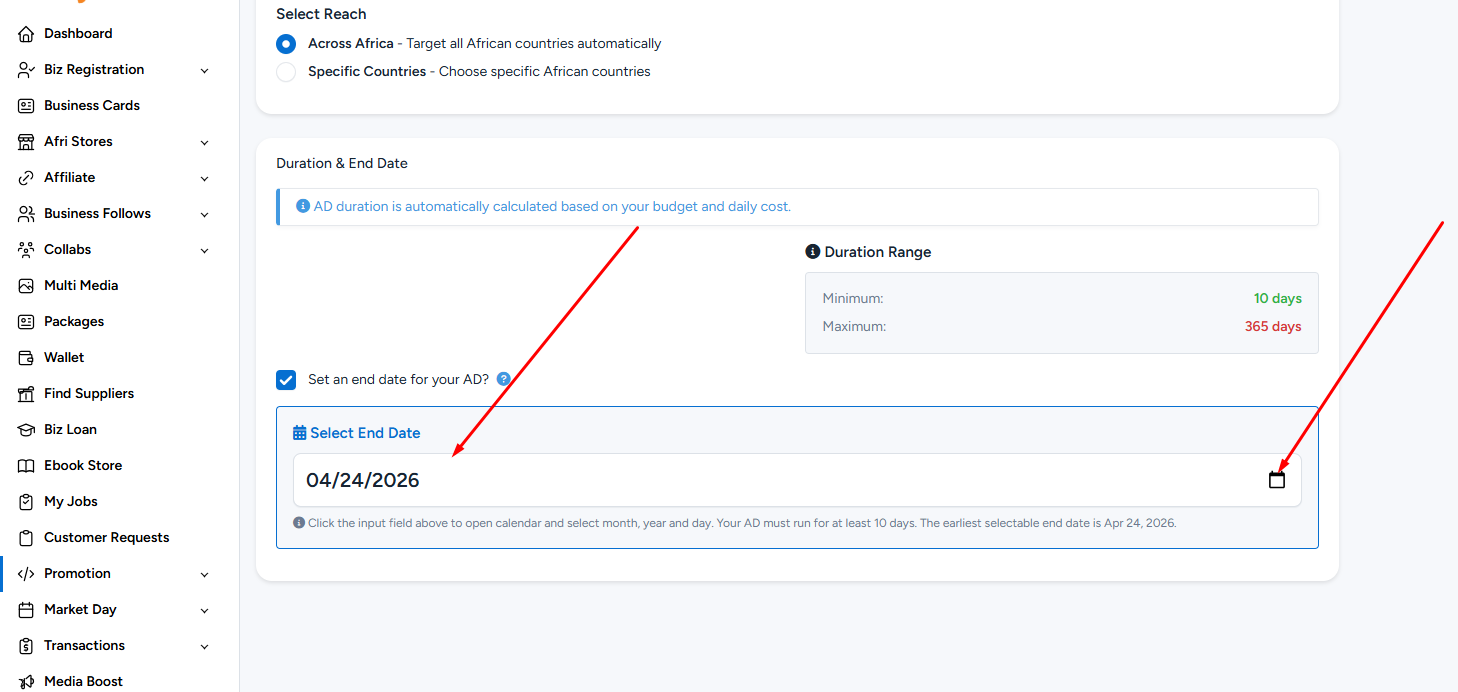
5. Select an End Date (optional). This means your ad will stop running on the selected date, even if you still have funds in your account. If left unselected, your ad will continue running until your balance is exhausted.
6. Enter your Ad Budget. This is the amount you want to spend on the ad. Ensure you have sufficient funds in your wallet.
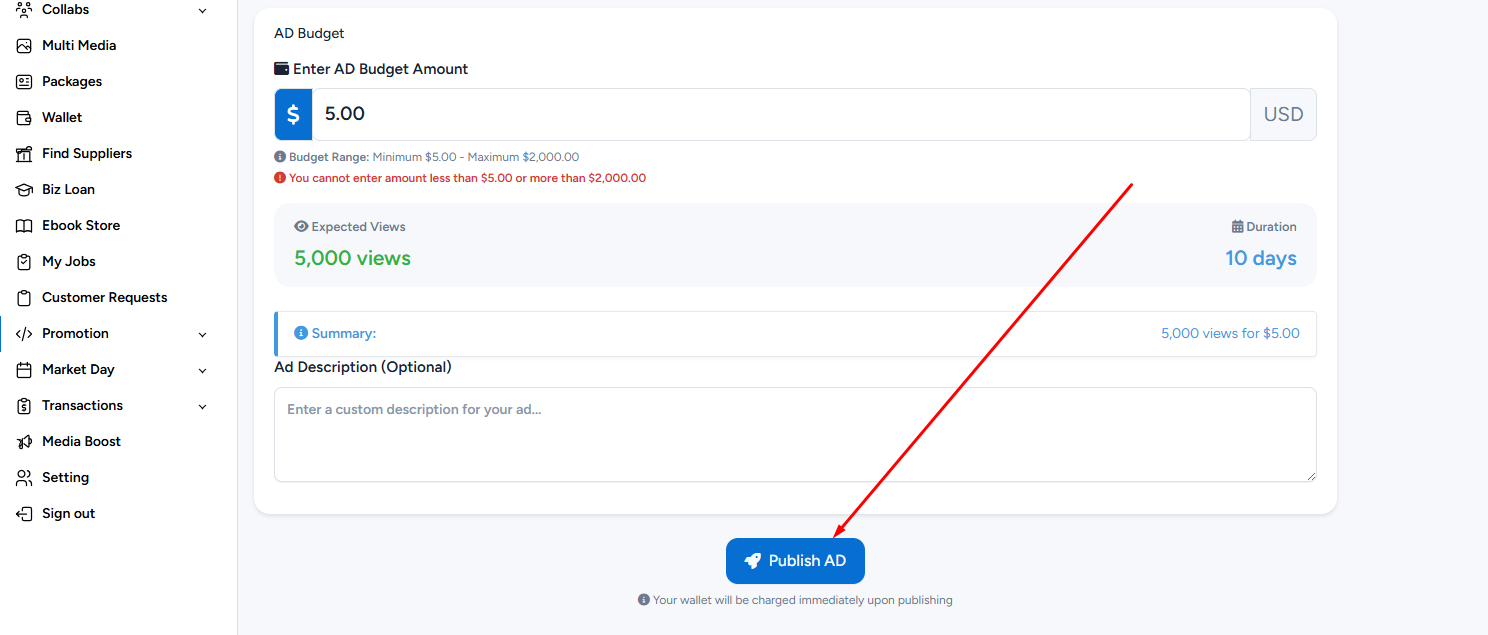
7. Finally, click Publish Ad to activate and start running your advertisement.
Found this helpful?
( 36 out of 65 found helpful )